TAGRFT - There's a GitHub Repo for That
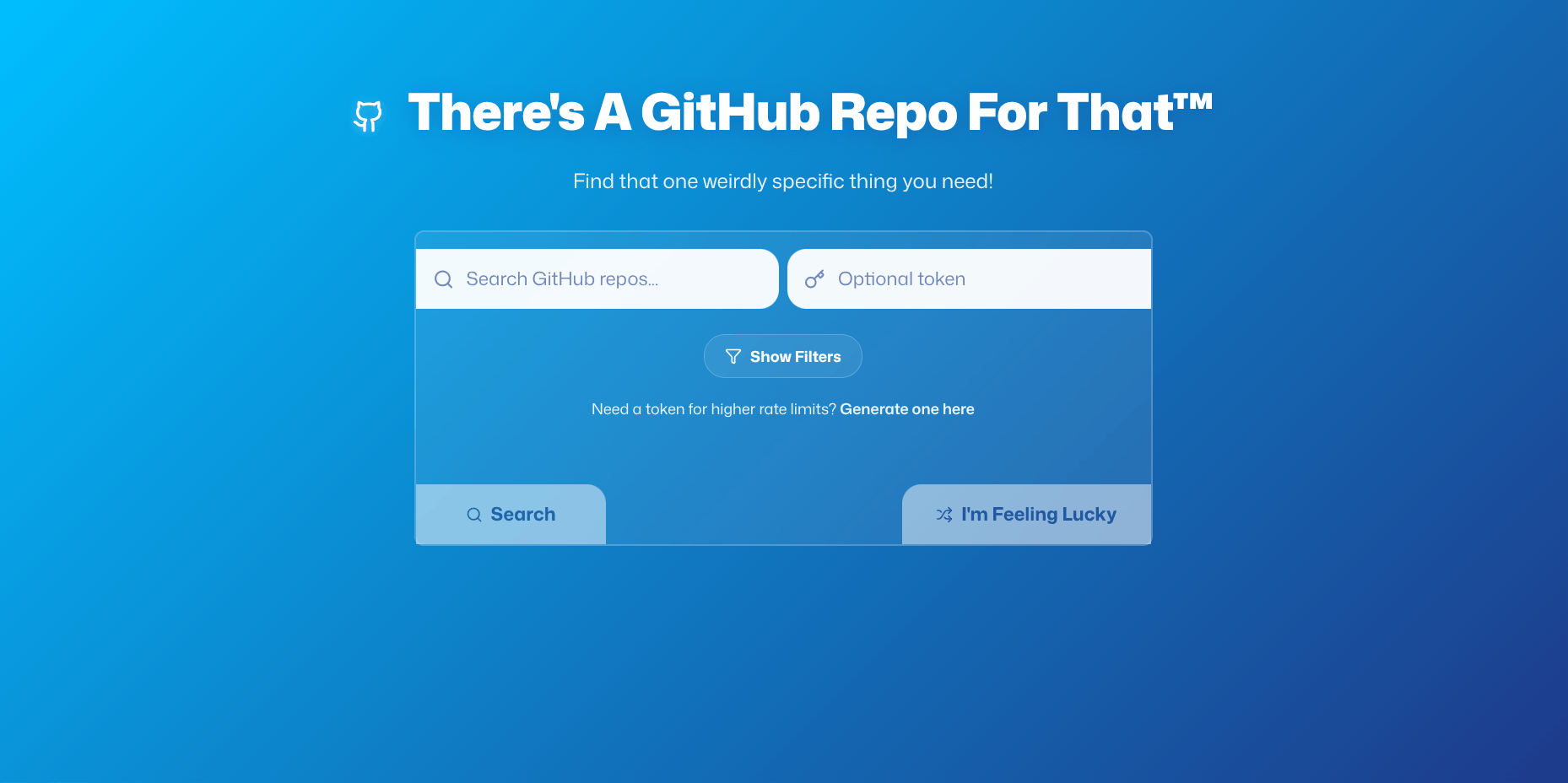
Have you ever needed a specific library, a code example, or that one cool tool you saw mentioned on Reddit last week? I’ve been in that situation a lot of times!
That’s what TAGRFT (There’s A GitHub Repo For That™), a quick “search engine” I made, is for. To help you discover exactly what you need from GitHub’s vast ecosystem of open-source projects. (Yes I know that GitHub Search exists, I wanted to make this plus that name is literally perfect)
How It Works
On the surface, TAGRFT feels simple: type in what you’re looking for, and get relevant repositories back. But under the hood, there’s some clever stuff happening that makes it all possible.
Step 1: Talking to GitHub
First things first, TAGRFT needs to chat with GitHub’s API. When you search for something, TAGRFT sends a request to GitHub asking, “Hey, do you have any repositories that match this query?”
GitHub responds with a bunch of data about matching repositories, including stars, forks, descriptions, and more. All this information gets neatly organized and displayed for you to browse through.
Step 2: Smart Filtering
Raw search results are great, but sometimes you need to narrow things down. That’s where TAGRFT’s filtering comes in handy:
- Sort by stars, forks, or recent updates
- Filter by programming language
- View detailed repository information at a glance
It’s like having a super-powered search assistant that knows exactly what you’re looking for, without the AI nonsense!
Step 3: I’m Feeling Lucky
Sometimes the best discoveries are the ones you didn’t plan. I added an “I’m Feeling Lucky” button because I love stumbling upon random, interesting projects. Hit it, and TAGRFT will surprise you with a repository you might never have found otherwise. It’s like a treasure hunt every time!
Step 4: Remembering Your Searches
How many times have you searched for something, found what you needed, and then had to search for it again later? TAGRFT remembers your last 5 searches automatically, so you can easily revisit previous queries without retyping them. But you can easily clear them with one click!
Step 5: Infinite Scroll Without the Infinite Loading
GitHub has millions of repositories, but loading them all at once would crash your browser (and probably GitHub’s servers too!). TAGRFT loads results 30 at a time with a “Load More” button. Browse at your own pace without overwhelming your browser or GitHub’s API.
Built for Speed and Accessibility
Under the hood, TAGRFT is powered by:
- Svelte 5
- Vite
- Lucide Icons
- GitHub’s REST API
But performance isn’t everything! I made sure TAGRFT is fully WCAG compliant (aka accessible) with ARIA labels and keyboard navigation, ensuring everyone can discover great repositories regardless of how they interact with the web.
The modern, curvomorphic UI looks really cool on any device, from your desktop workstation to your smartphone.
Optional GitHub Token for Power Users
While TAGRFT works perfectly without authentication, adding a GitHub Personal Access Token supercharges your experience:
- 60 requests/hour (no token) → 5,000 requests/hour (with token)
- Securely stored in your browser’s localStorage
- Never shared or transmitted anywhere except GitHub
Getting Started
Ready to try it? TAGRFT is open source and easy to run locally or online!:
GitHub Pages
Just open https://nellowtcs.me/TAGRFT in your browser, and that’s it!
Local Development
# Clone the repository
git clone https://github.com/NellowTCS/TAGRFT.git
cd TAGRFT/Build

# Install dependencies
npm install

# Start the development server
npm run dev
The app will open in your browser automatically!
Current Limitations
What TAGRFT can’t do (yet!):
- Post Search: Currently limited to GitHub’s default search results (1000 max) and doesn’t do much post search stuff apart from the filters.
- Advanced queries: Complex search syntax or Regex isn’t fully supported yet.
- Account integration: No GitHub account integration for starring or following repos.
- Good UI: Though the UI is fine, it could be much better.
Roadmap
Some ideas I have for the future:
- Advanced search syntax support (Regex ftw!)
- Repository comparison tool
- Personal collections/bookmarks
- GitHub account integration
- a thing similar to Let Me Google That For You
If you’d like to help, PRs and issues are welcome on the GitHub repo!
Conclusion
This little project makes it easier to find exactly what you need from GitHub’s massive collection of repositories. Whether you’re looking for code examples, libraries, or just want to explore what’s out there, TAGRFT helps you do it faster and more efficiently.
If you try it out, let me know what you think, and if you run into bugs, please open an issue on the GitHub!