TactileDesign
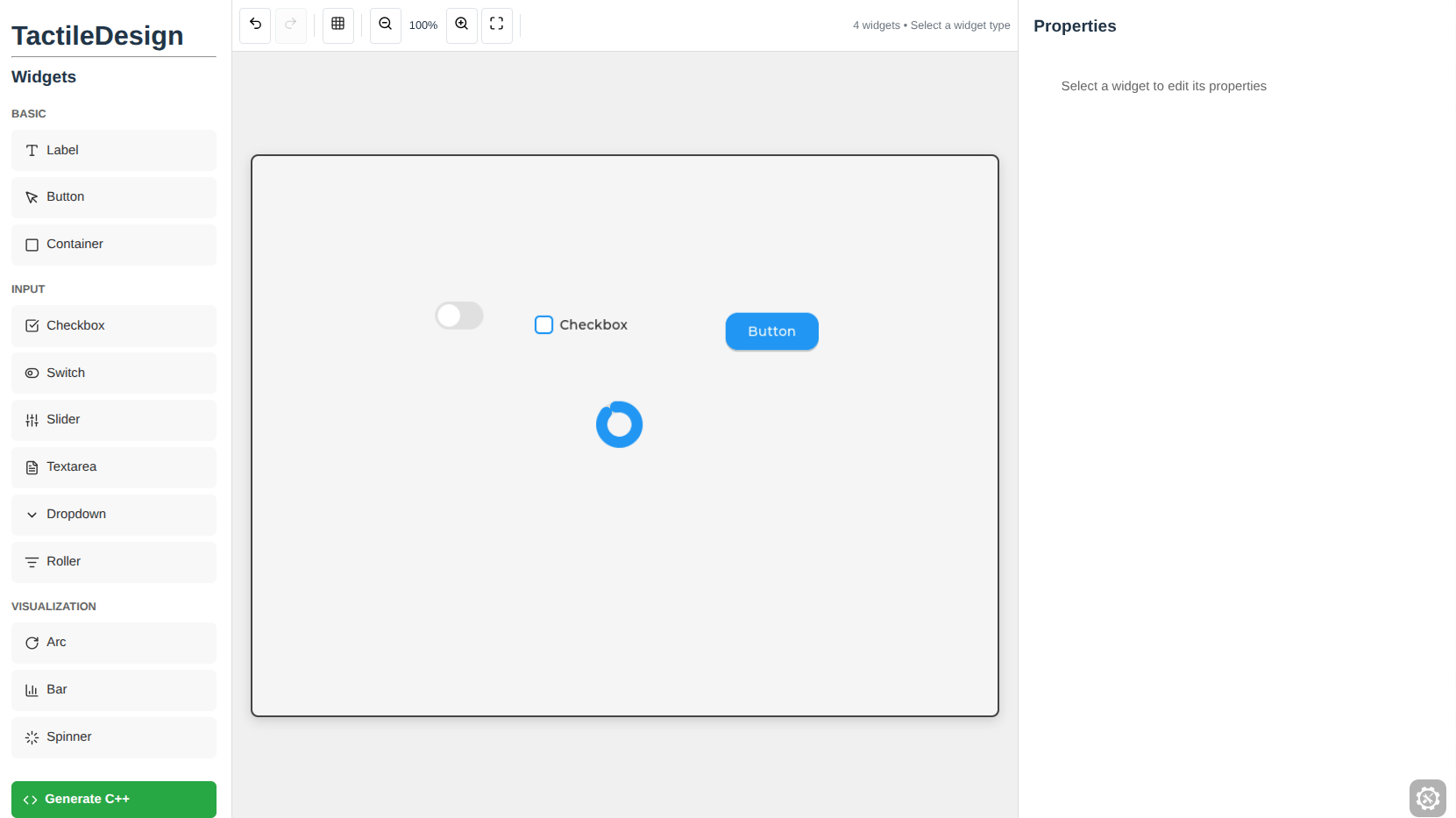
Building Tactility apps by hand-writing layout code works, but it’s painfully slow. You write some code, push it to the device, look at the screen, tweak a number, push again. I wanted to close that feedback loop, so I built a visual editor. But I didn’t want a fake preview. I wanted the actual LVGL rendering engine running right there in the browser.
What This Is
TactileDesign is a drag-and-drop UI editor for designing interfaces for ESP32 devices. You place widgets on a canvas, adjust their properties, and export production-ready C++ code. The canvas isn’t a simulation. It’s LVGL compiled to WASM via Emscripten, running in a browser iframe. The actual embedded C graphics library, rendering your layout in real time.
The Tech Stack
React 19 frontend, about 1400 plus lines. The LVGL bridge communicates with the WASM iframe via postMessage. Twelve widget types: label, button, container, checkbox, switch, slider, textarea, dropdown, roller, arc, bar, and spinner. You click to place widgets on the canvas, then adjust position, size, and widget-specific properties in the properties panel.
The Details That Matter
There’s a joystick control for fine-grained positioning at 0.2x sensitivity, which feels appropriate for a tool targeting a “tactile” device. Grid snapping at 5, 10, 20, or 25 pixel intervals. Undo and redo with 50 states of history. Widget duplication with Ctrl+D. Zoom from 50 to 200 percent. Save and load designs to localStorage.
Code Generation
When you’re done designing, TactileDesign generates C++ code using the actual LVGL API calls: lv_label_create, lv_btn_create, the real thing. It’s not generating some intermediate format or pseudo-code. It’s production-ready C++ you can drop right into a Tactility project for ESP32.
Why This Matters
Running LVGL, an embedded C graphics library, inside a browser via WASM is the part that makes me smile. It means what you see in the editor is exactly what you’ll see on the hardware. No surprises, no “oh that looked different on my laptop.” The truth is, this tool is part of the larger Tactility ecosystem, and it exists because I got tired of guessing what my layouts would look like on a 240x280 pixel screen.