pyComputer
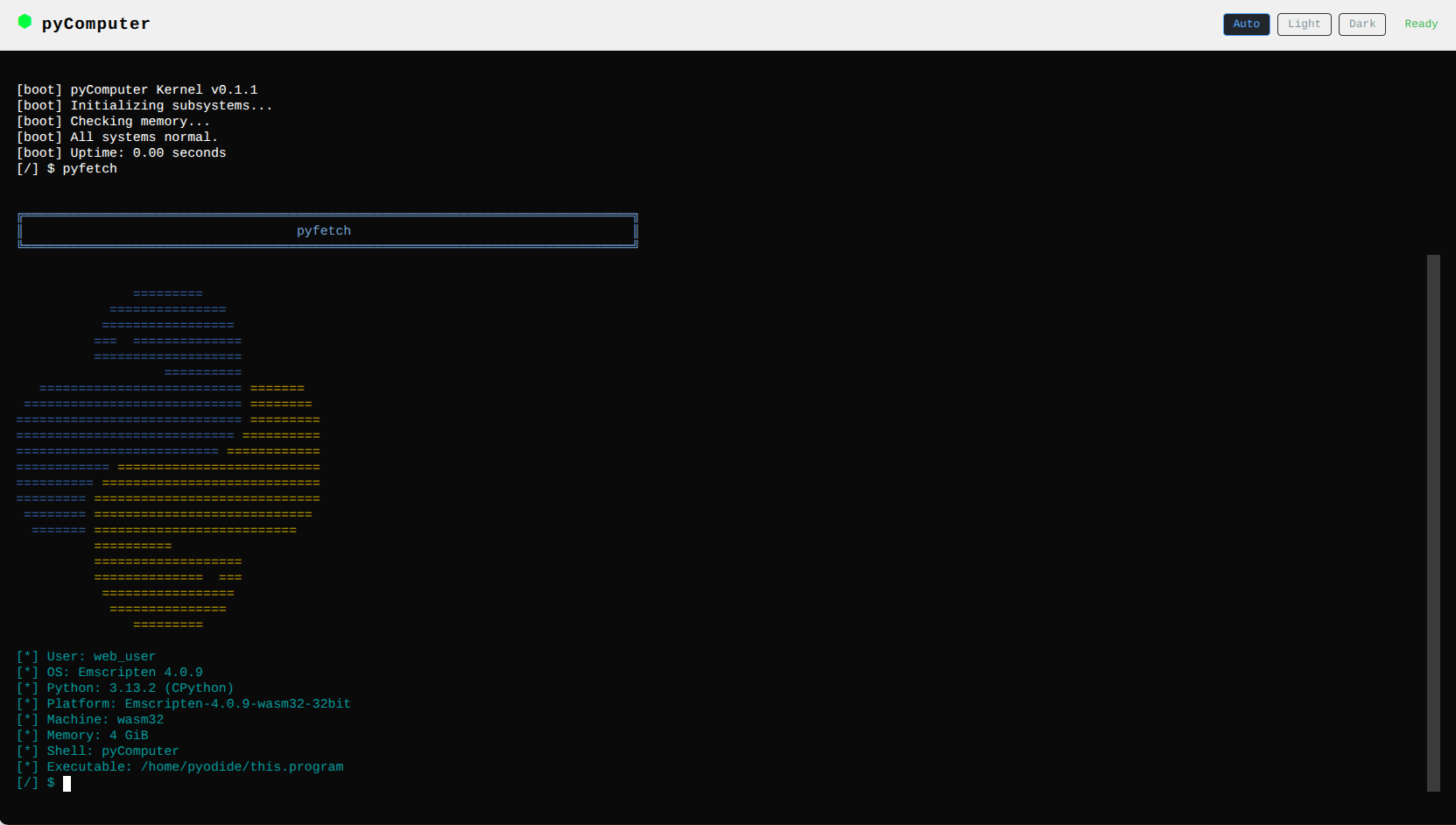
I’ve always wanted to build an operating system. Not a real one, yet, because I value my sanity, or so they say, but a virtual one that captures the feeling of an OS without the hardware headaches. pyComputer is that project. It’s a complete virtual OS written in Python with a kernel, boot sequence, shell, virtual filesystem, process scheduler, package manager, and built-in apps.
What This Is
Think of it as a tiny OS that lives inside Python. It boots up, gives you a shell, lets you run programs, manage files, and install packages. The wild part is it also runs in the browser through Pyodide, which compiles Python to WebAssembly. You open a web page and get a full terminal interface to a virtual computer. No server, no installation, just Python running in a WASM sandbox.
The Kernel
The kernel uses asyncio for its event loop with a cooperative round-robin scheduler. Programs get 10ms time slices, and yes, there’s a comment in the code that says “no, not Red Robin, sadly.” The shell has readline-style tab completion, and the VFS layer maps virtual paths to real directories.
The Package Manager
This one surprised me by how deep it went. Packages use a .pycapp format, which is just a ZIP file with a manifest.json inside. You can install from local files, HTTPS URLs, or a registry. The registry fetches a JSON index from GitHub, and there’s path traversal protection plus SHA-256 checksums for integrity. It’s a real package manager in a toy OS, which feels appropriate.
Built-in Apps
There’s a calculator, a TUI IDE with file tree, editor, toolbar, and run output, a matrix rain screensaver, a notes app, settings, and Snake. The UI system uses ANSI escape codes with color themes and widgets. There’s even a pyfetch command that’s a neofetch clone, because of course there is.
The SDK
A separate pycomputersdk package re-exports rendering, input, filesystem, and networking for standalone app development. It detects is_web() and adapts input and rendering accordingly.
What’s Next
Published to PyPI as v0.1.1. The TODO list has networking and chat, a window manager, and an app store. Look, I know those are ambitious goals for a project that started as a joke, but the truth is, building an OS is just too fun to stop at the basics.